

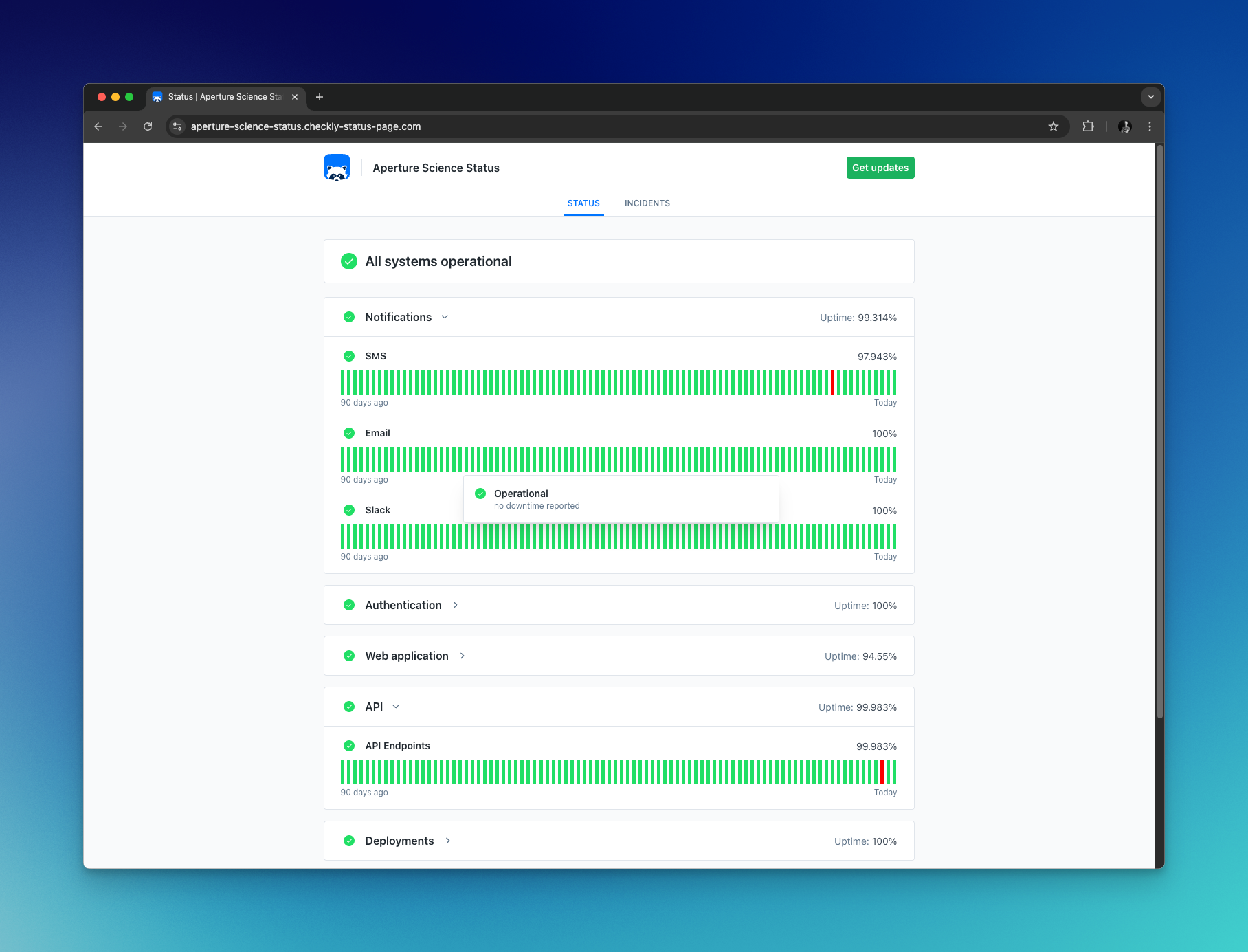
Core Status Page components
Services
A service represents a functional piece of your application or website, such as landing page, API, support portal etc. You manage your services from the service overview page, accessible in the sidebar.The number of services and subscribers you can have varies by plan. View pricing
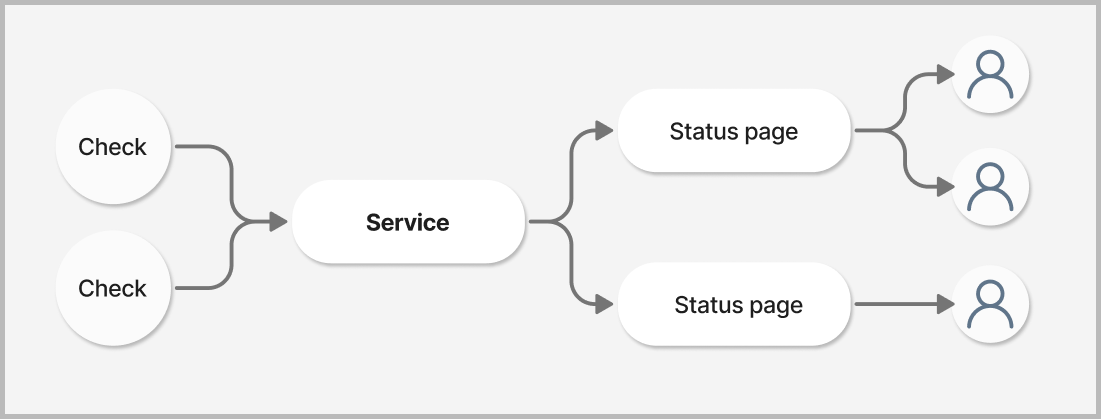
Connecting Services and Status Pages
To display a service on a Status Page, go to the Status Page editor and open theServices dropdown on the card you want to display your service on.
Select your service from the list and save your Status Page. The page will now display the selected service.
You can also create new services directly from the dropdown by entering a new service name and pressing Create.
You can display the same service on multiple pages. An incident declared on that service will be shown on all status pages which contain that service.
Connecting Checks to Service to automate Incidents (paid plans)
A Check can also be associated with a Service, and automatically open Incidents whenever it fails. See incident automation for more details.Uptime calculation
Status pages display an uptime percentage for each service, as well as an overall uptime for each card. Here’s how these values are calculated:Time window
Uptime is calculated based on the last 90 days of data. This provides a meaningful long-term view of service reliability while remaining recent enough to reflect current performance.Service uptime
Service uptime represents the percentage of time the service was operational within the 90-day window. The calculation is:Card uptime
The uptime shown for a card is the average uptime of all services displayed within that card.What affects uptime
Uptime is determined by incidents, not directly by check results. Here’s how it works:- Manual incidents: When you create an incident affecting a service, the incident duration counts as downtime.
- Automated incidents: When incident automation is enabled for a check, any check failure that triggers an alert will automatically open an incident, which counts as downtime. The incident is resolved when the check recovers.
If you don’t have incident automation enabled, check failures won’t automatically affect your uptime. You would need to manually create incidents to reflect downtime in your uptime calculations.